Make your company’s data understandable, by your teams and by AI.
Newboot Genesis connects to your systems (ERP, BI, databases, spreadsheets), learns what your data means and draws a living map of your business. Teams and AI agents can then migrate, simulate and answer questions on data they can trust.
Your data is everywhere, and nobody has the full map.
Every system speaks its own language. The knowledge of what a table really means sits in a few experts’ heads, and AI tools guess from column names.
One word, five definitions
“Customer”, “revenue” or “product” do not mean the same thing in the ERP, the CRM and the BI reports.
Projects start from scratch
Each migration, report or AI project re-documents the same tables and rewrites the same rules.
AI that cannot be trusted
Without business context, AI agents hallucinate, loop and burn tokens, and nobody can check where an answer comes from.
A GPS map for your data.
Genesis draws once what every system contains (the streets), what each value means and which rules apply (the traffic signs), and where each figure comes from (the route). Then anyone, person or AI agent, can find their way.
Understand any system
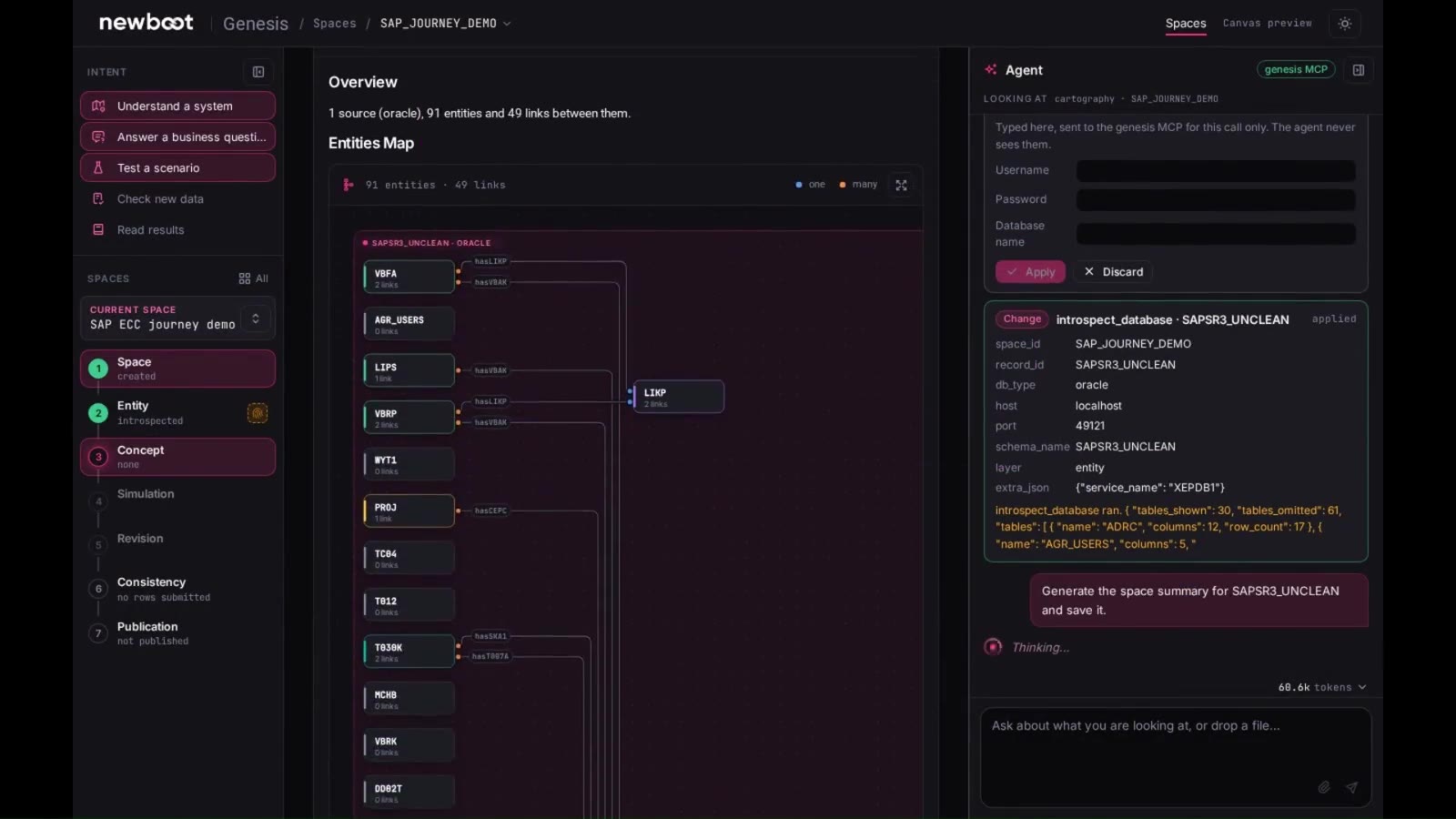
Connect a source and Genesis inventories its tables, their quality and how they relate, without reading it line by line.
Trust every figure
Each value keeps its lineage: the source, the rules and the transformations behind it.
Test before you change
Simulate a rule, a migration or a scenario on your real data and see what passes and what blocks, before touching production.
AI that knows your business
AI agents query the map through the Newboot MCP server: fewer hallucinations, fewer tokens, sourced answers.
You stay in control
The Genesis agent proposes changes as drafts. Nothing is applied until someone on your team approves it.
Work that is reused
Blueprints and SQL, DAX or Python scripts are generated for your pipelines, and the map serves the next project.
From a raw SAP extract to a validated migration blueprint.
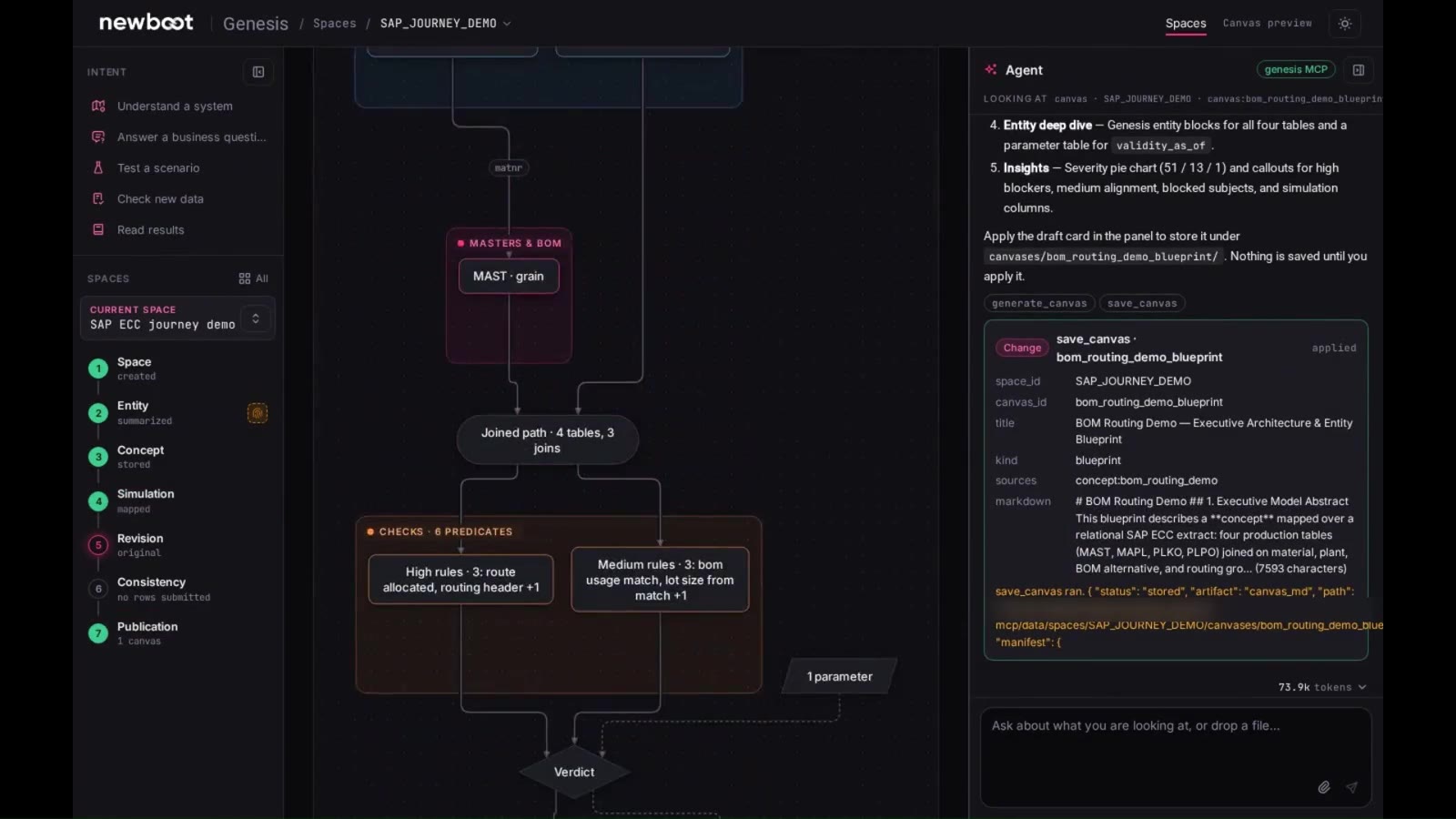
In this demo, a team maps an SAP ECC extract, checks that bills of materials match routing operations, and publishes the result. Select a step to see it in the product.
Figures from our SAP ECC demo scenario, not customer data. Some names are blurred.
Five intents, one method.
Every request follows the same governed path: space, entity, concept, simulation, revision, consistency, publication.
One platform, use cases across the company.
Genesis is not tied to one system or one department. Three use cases are ready to deploy; the examples below show what teams in other functions can do with it.
ERP migration
Map SAP ECC, Oracle or Dynamics data models, test the migration rules and generate the scripts for SAP S/4HANA or any target.
Discover → Finance · BIPower BI simulation
Run “what-if” scenarios in plain language on top of your existing dashboards, without writing DAX.
Discover → All teams · AITalk-to-Data
Give teams and AI agents sourced, auditable answers from governed data, through the MCP server.
Discover →More examples by sector
Consolidation across entities
Map each subsidiary’s chart of accounts to the group model and trace every consolidated figure back to its ledger.
Regulatory reporting you can trace
Document where each reported figure comes from and which rules produced it, ready for regulators and auditors.
Supplier and material master data
Find duplicates and inconsistencies across plants and ERPs, and agree on one reference before a migration or a tender.
One definition of customer and revenue
Align CRM, ERP and BI on shared definitions, so every dashboard and every agent gives the same answer.
Sell-out data from many sources
Harmonize monthly sales files from distributors and retailers that each use their own format and codes.
Post-merger integration
Map the acquired company’s systems to the group model and plan the integration on facts, not assumptions.
Auditable sustainability reporting
Trace each emission or energy figure back to its meter, file or system, ready for auditors.
Bills of materials and routings
Check that bills of materials, routings and plant data are consistent before a migration or a new MES, as in the demo above.
An ontology engine with an AI agent, governed by design.
Genesis introspects sources, builds a semantic model with deterministic links to the raw data, and exposes it through an MCP server and APIs. The agent works through the same MCP, proposes drafts and never applies a change on its own.
- SourcesSAP and other ERPs, Oracle, MySQL and other databases, Power BI, Excel and CSV files
- MethodSpace, entity, concept, simulation, revision, consistency, publication
- OutputsOntology, lineage, blueprints, SQL, DAX and Python transformation scripts
- AI accessMCP server and APIs, with the LLM of your choice
- DeploymentInside your own Azure tenant or on-premise
Questions about Newboot Genesis.
Is Genesis only for SAP?
No. Genesis works on any information system: ERPs, databases, BI tools such as Power BI, and Excel or CSV files. SAP migration is one of its use cases.
Do we need data scientists to use it?
No. Business and IT teams describe what they need in plain language; the Genesis agent proposes the model and the rules, and your experts validate them.
Can the AI agent change our data on its own?
No. The agent works through the Genesis MCP and proposes every change as a draft. Nothing is applied until someone approves it.
Where does our data stay?
Inside your perimeter: Genesis is deployed in your own Azure tenant or on-premise.
Which AI models can we use?
The LLM of your choice. Genesis provides the business context through its MCP server and APIs, independently of the model.
* Up to 65% fewer tokens sent to the LLM thanks to described data: estimate based on observations by Newboot R&D.
Start with one system and one question.
We connect to one source, generate its ontology and show you what it reveals about your data, in a scoping workshop.
- 1Scoping workshopIdentify the priority use case and the data available.
- 2PilotProve the value on one line, one site or one IT scope.
- 3Deploy and replicateIndustrialize, then roll out to other lines and sites on the same foundation.